Product updates · 2026-08-17 · 6 min read
ASO.Market update: campaigns, keyword groups and Worldwide Check in monitoring
Keyword monitoring now includes campaign tabs, keyword groups, file import, saved GEO sets and a quick Worldwide Check action for every keyword.
Author: Artyom Avanesov
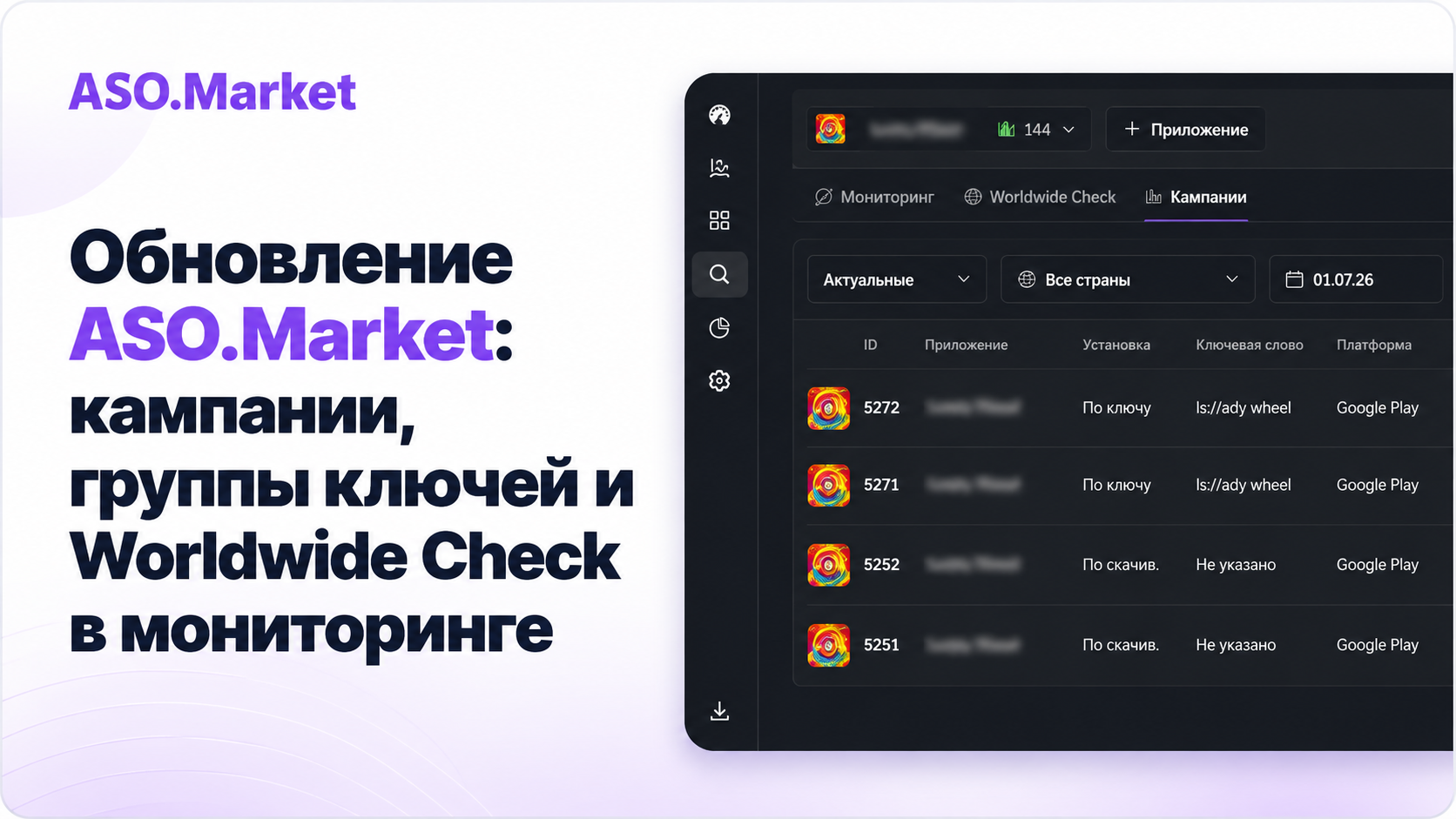
Update overview
ASO.Market received a major update for teams that work with keywords and campaigns every day. The goal is straightforward: fewer jumps between sections, more context next to each keyword, clearer bulk actions and visible progress.
Below is a structured look at what changed in keyword monitoring, campaign creation and campaign list/detail pages.
1. Keyword monitoring
Campaigns tab
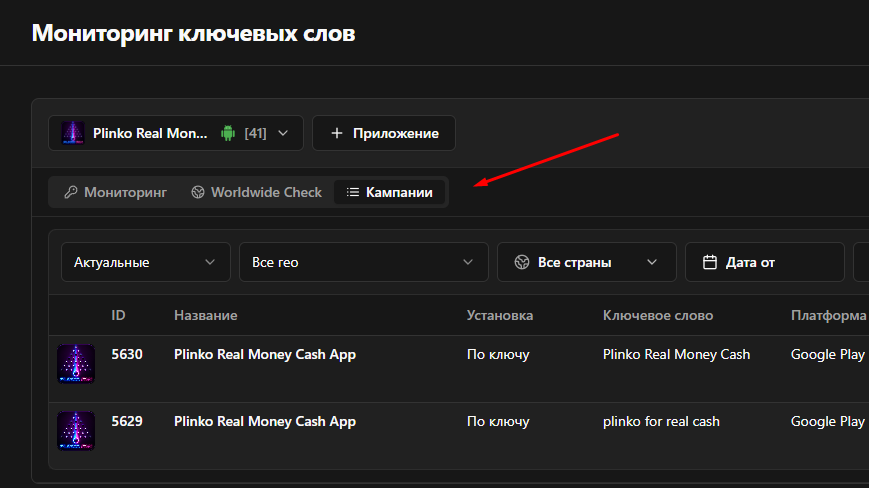
Keyword monitoring now has a dedicated Campaigns tab. It shows campaigns for the selected app, with filters by status, country and date range, plus a quick link to campaign details.
Keyword groups
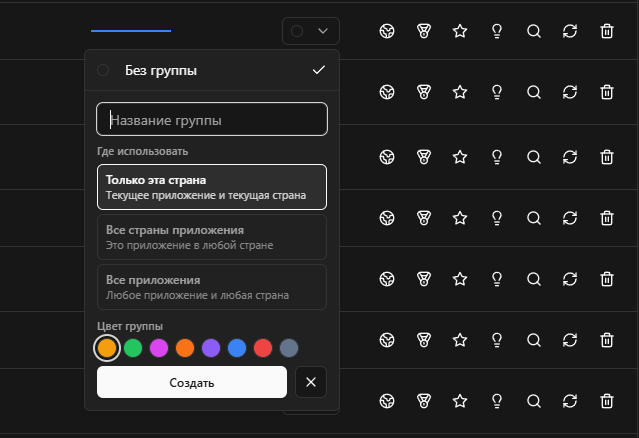
Keywords can be grouped by meaning, highlighted with color and used to filter the list, table and chart.
Group scope
A group can apply to the current app and country, to the whole app or globally. This keeps local keyword clusters separate from shared groups used across several apps.
Import and country selection
.xlsx, .xls, .csv and .tsv files are supported, including Google Play Console exports. The system detects country, keyword and group when the group is present.
- App search was added.
- Country selection is clearer.
- Country packages are easier to apply in bulk workflows.
- Worldwide Check now supports select all, clear all and quick region/country package selection.
Manual country refresh
Refreshing by country now updates all keywords for the selected country. The interface shows progress, so the action no longer feels like an unclear loading state.
Quick Worldwide Check action
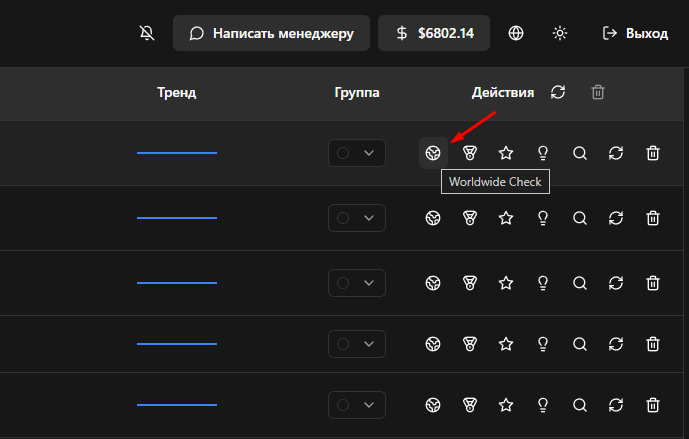
The action opens Worldwide Check and inserts the selected keyword automatically. It is available in both list and table views, with a hover tooltip.
2. Campaign creation
Saved GEO sets
Campaign creation now supports saved GEO sets. You can save frequently used country sets, apply them when creating a campaign, rename them and delete them.
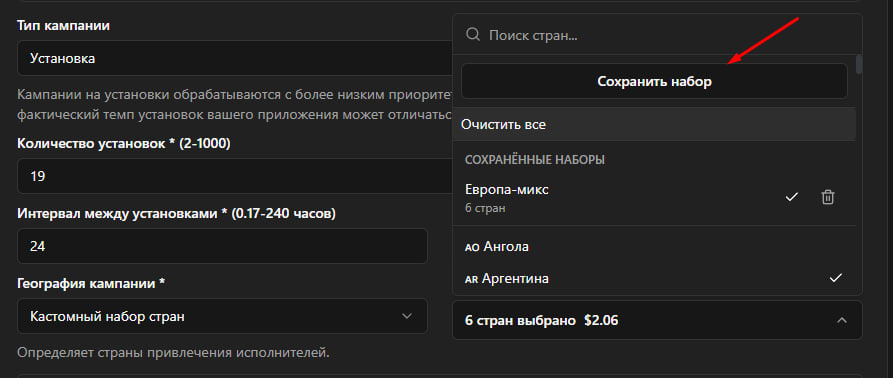
The same GEO sets are used in campaign filters inside keyword monitoring. For now, they are stored locally in the browser and are not tied to an account.
Minimum campaign interval
The campaign interval now has a clearer minimum: from 0.17 hours, which is roughly 10 minutes. This makes short campaign setup more transparent.
3. Campaign list and details
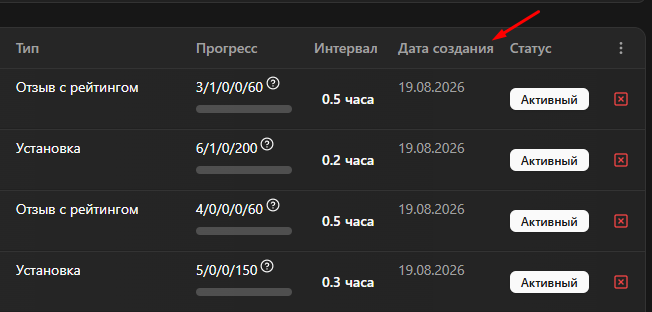
Created date column
The campaign list now has a separate Created date column. This makes it easier to understand when a campaign started, especially when there are many active orders.
Campaign progress and budget
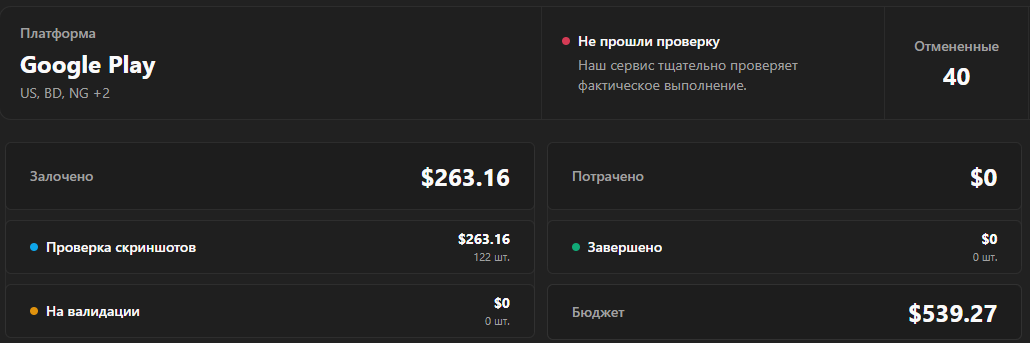
The campaign details page now has a clearer progress and budget block. It shows total budget, spent amount, reserved amount, completed tasks and tasks under review.
Result
The update reduces manual work between monitoring, Worldwide Check and campaigns. Keywords are easier to group, campaigns are easier to compare and repeated GEO workflows take less setup.